
Siemens Teamcenter PLM Software

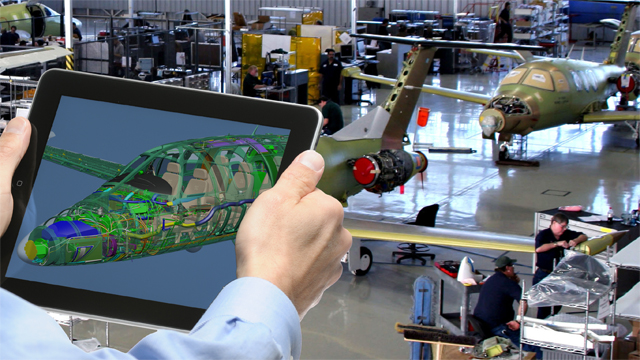
Siemens Teamcenter software is a modern, adaptable product lifecycle management (PLM) system that connects people and processes, across different functional departments. The unmatched portfolio of Teamcenter means that you can solve more of the tough challenges required to develop highly successful products. Teamcenter Supports an Easy & Intuitive Interface to connect various people across different departments to enable faster and quality product for the market.

Also Read :- Detail Guide on PLM Software
DATA Security

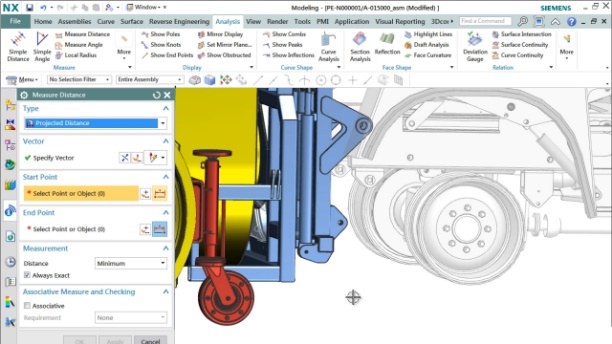
Siemens NX software is a flexible and powerful integrated solution that helps you deliver better products faster and more efficiently. NX delivers the next generation of design, simulation, and manufacturing solutions that enable companies to realize the value of the digital twin.

Supporting every aspect of product development, from concept design through engineering and manufacturing, NX gives you an integrated toolset that coordinates disciplines, preserves data integrity and design intent, and streamlines the entire process

Bill Of Material Management

Effective BOM (bill of materials) management and configuration are critical to your success, whether your product consists of ten parts or ten million. As you develop more innovative products in order to remain competitive, managing accurate product definitions, including bills of materials, becomes increasingly complex. Teamcenter helps you know your product by providing a common source of BOM information across your organization.

Teamcenter enables teams and individuals to find the information they need and work with it in a way most meaningful to them. You can quickly search and filter across massive amounts of data to find only what is required to fulfill a particular task.

Engineering Change Management.

Managing Engineering changes can be challenging and people may waste their productive time working with out of date information.

In many cases, the impact of a change across domains is not clearly understood, resulting in costly overruns and delays.

Also Read :- How PLM Software Transforms Product Design

With Teamcenter you can reduce the manual effort and cost of managing any PLM process. From coordinating complex change across disciplines, to executing a simple design review, to directing a response to quality issues, you can focus people on the right tasks, with the right data, to make the right decisions at the right time.

Document Management

In an organization , Documents are expansive to produce and need to be maintained for a very long time, sometimes even longer than the products lifecycle.

Also Read :- What Is Siemens Teamcenter?

Teamcenter document management helps a company to manage any type of organization document and as result document and any technical publications are in the same PLM system as your product information and are linked to each other,

so are aligned to product changes thereby reducing the time and cost of development.

With Teamcenter, you can reduce the manual effort of document production. You can create documents that are managed in Teamcenter using familiar Microsoft Office and Adobe authoring tools.

Manufacturing Data Management

Connect people, systems, and machines through manufacturing process planning using a digital thread. Provide a single source of product design and manufacturing planning information so that you can significantly improve collaboration between product and process development activities while ensuring that the cost of high-quality manufacturing is contained.

Mechanical CAD Data Management

Teamcenter, from Siemens PLM Software, brings together all your mechanical computer-aided design (MCAD) data in a single design management environment. Whether your company uses one or more MCAD tools, you can easily find parts and assemblies created in other tools within your preferred MCAD environment, then modify and incorporate them into multi-CAD assemblies or product designs.

Also Read :- What To Consider Before Selecting PLM Software in the Automotive Industry

Teamcenter automatically translates multi-CAD data into the CAD-neutral 3D format, JT, which extends access, even to non-CAD users.

  • You can automate your engineering change, validation and approval processes
  • Collaborate with design data, revisions and product configurations
  • Multi Location & Supply Chain Collaboration
  • Digital mock-up and validation capabilities provide visibility to design changes in real-time.
  • Version management and access controls mean the right people have the right information.

Dr Martens: Single Source of Data Supports Global Manufacturing

A single source of data supports global manufacturing for Apparel, Footwear and Accessories manufacturer Dr. Martens. By utilizing Teamcenter, Dr. Martens is able to have better communication and collaboration between their teams in the UK and Asia.

Teamcenter Cost

The cost of Siemens Teamcenter varies depending on the specific modules, features, and extent of usage required by your organization. As a powerful PLM system, Teamcenter provides a comprehensive set of tools for data security, BOM management, technology change management, etc., enabling effective product lifecycle management Price often affects power initial paper cost, subscription model, or cloud-based approach, and ongoing maintenance and support. For specific quotes, it is recommended that you contact Siemens directly or consult with an authorized dealer who can tailor the solution to the specific needs and size of your company .

Teamcenter Trial

Siemens offers a trial for Teamcenter, enabling businesses to explore its powerful PLM capabilities. The test version gives you access to key features such as data management, BOM management, and technical change management, and allows you to experience how Teamcenter simplifies the product lifecycle Using testing, you can and integrate existing systems and evaluate how the software can improve collaboration across departments . Visit Siemens official website or contact an authorized reseller to request a test. The exam usually includes support and guidance to help you maximize the evaluation period and understand how Teamcenter can help your organization.

Teamcenter Download

Downloading Siemens Teamcenter requires you to purchase a license through Siemens or an authorized reseller, as it is enterprise level PLM software. The software is not available for free public download. Once you have the necessary licenses, you can download Teamcenter through the Siemens Digital Industries Software platform. Download it along with a complete installation package including any additional modules or settings your business needs. For businesses interested in pre-purchasing Teamcenter, Siemens offers a test that can be requested directly from their website or through a certified partner to evaluate its features and capabilities.

Teamcenter product lifecycle management from Siemens PLM software

Connect Your Product Data, Processes, People and Systems

In today’s competitive business environment, managing product information is no longer just about storing CAD files and documents.

Organizations need a connected digital environment, from Siemens Teamcenter where product data, business processes, people and projects work together seamlessly.

Siemens Teamcenter PLM provides a powerful and scalable digital backbone to manage the complete product lifecycle—from initial concepts and designs to manufacturing, quality, service and beyond.

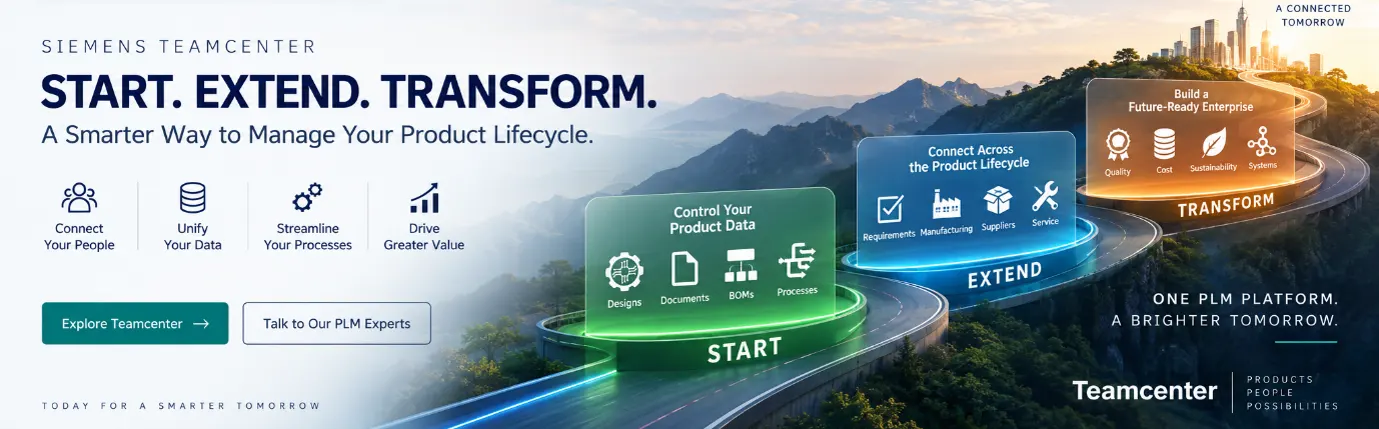
Siemens Teamcenter software roadmap for an organisation can be defined as below stages

Start with your immediate business challenges.
Extend PLM capabilities across functions.
Transform into a connected digital enterprise.

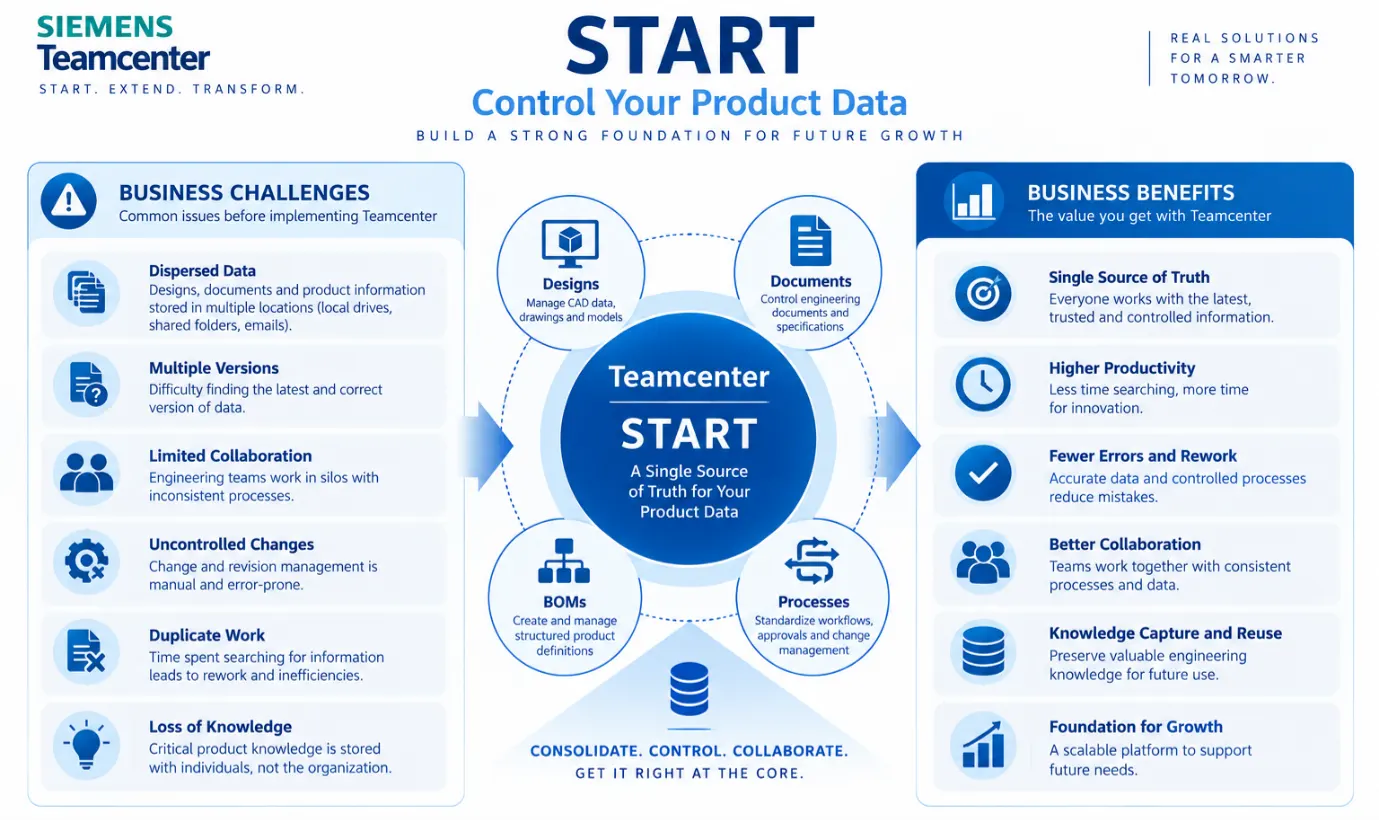
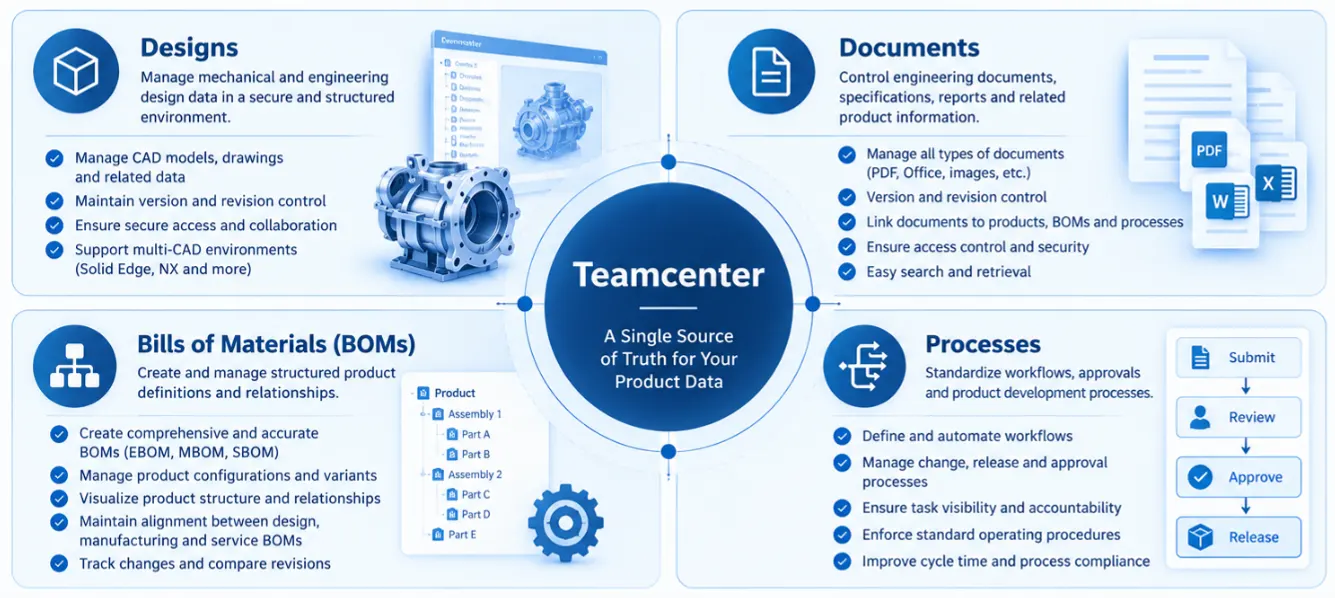
START — Bringing Product Data and Core Processes Under Control

What Challenges Siemens Teamcenter solutions solves

  1. Engineering data is stored across individual computers, shared folders, different systems and locations.
  2. Different users may work with different copies of drawings, models and documents.
  3. Engineers spend significant time searching, sharing, checking and managing files manually.
  4. Product information can be accessed or modified without proper authorization.
  5. Different teams and individuals follow different methods for creating, reviewing and releasing information.
  6. Critical design decisions, historical information and engineering experience often remain with individuals or get lost over time.

What TEAMCENTER does

Teamcenter PLM software creates a secure and centralized digital foundation for managing:

  1. DESIGNS: CAD models, drawings and engineering data
  2. DOCUMENTS: Specifications, reports, calculations and product documents
  3. BOMs: Structured product definitions and relationships
  4. PROCESSES: Workflows, approvals, releases and engineering processes

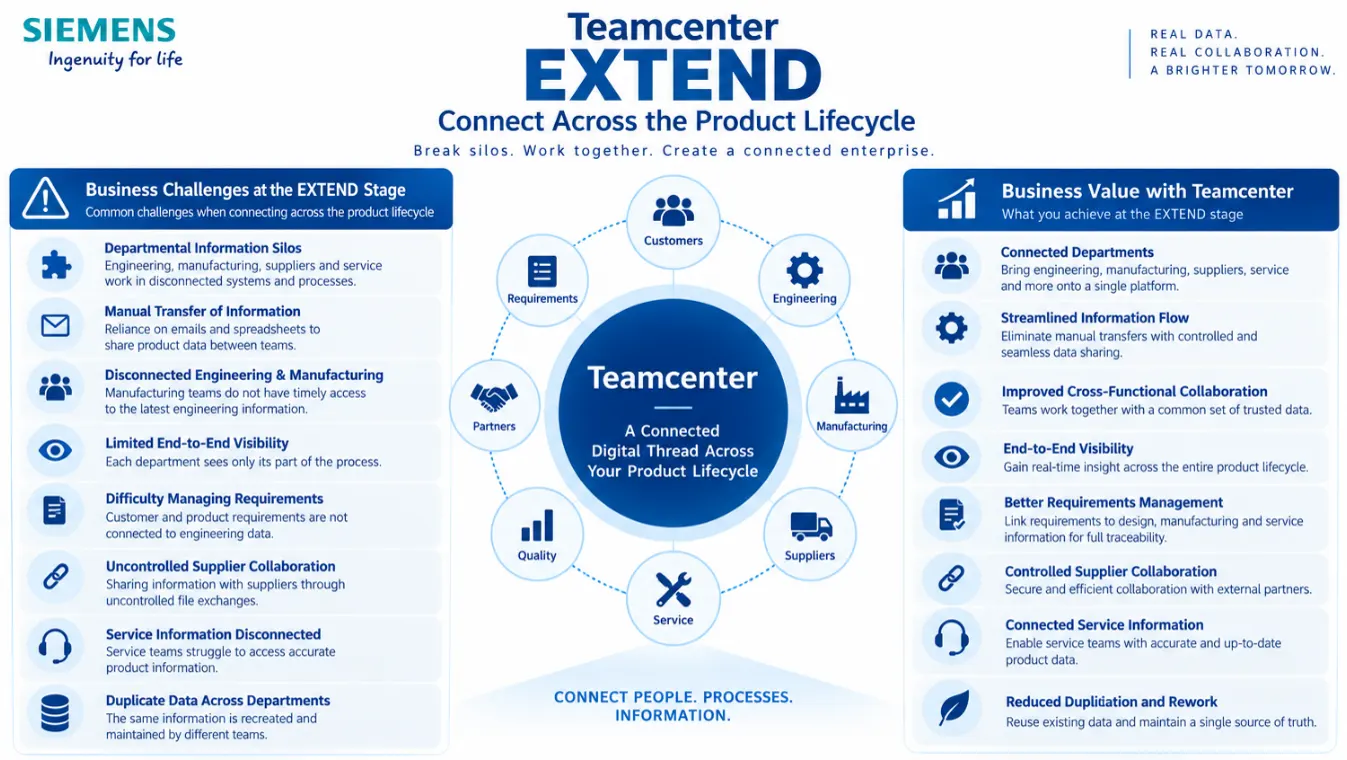
EXTEND — Breaking Departmental Silos and Connecting the Product Lifecycle

What Challenges Siemens Teamcenter solutions Solves

  1. Engineering, Manufacturing, Requirements, Suppliers and Service teams often manage information independently in different systems, folders and processes.
  2. Teams rely on emails, spreadsheets and manual file sharing to transfer information from one department to another.
  3. Manufacturing teams may not have timely access to the latest engineering information, resulting in delays, clarification cycles and potential errors.
  4. Each department sees only its own part of the process, making it difficult to understand the overall status and impact of changes.
  5. Customer and product requirements are often managed separately from the engineering information used to develop the product.
  6. Sharing product information with suppliers through emails and uncontrolled file exchanges can create security, version and traceability issues.
  7. Service teams may struggle to access accurate product information, documentation and historical data.
  8. The same product information may be recreated and maintained independently by different teams

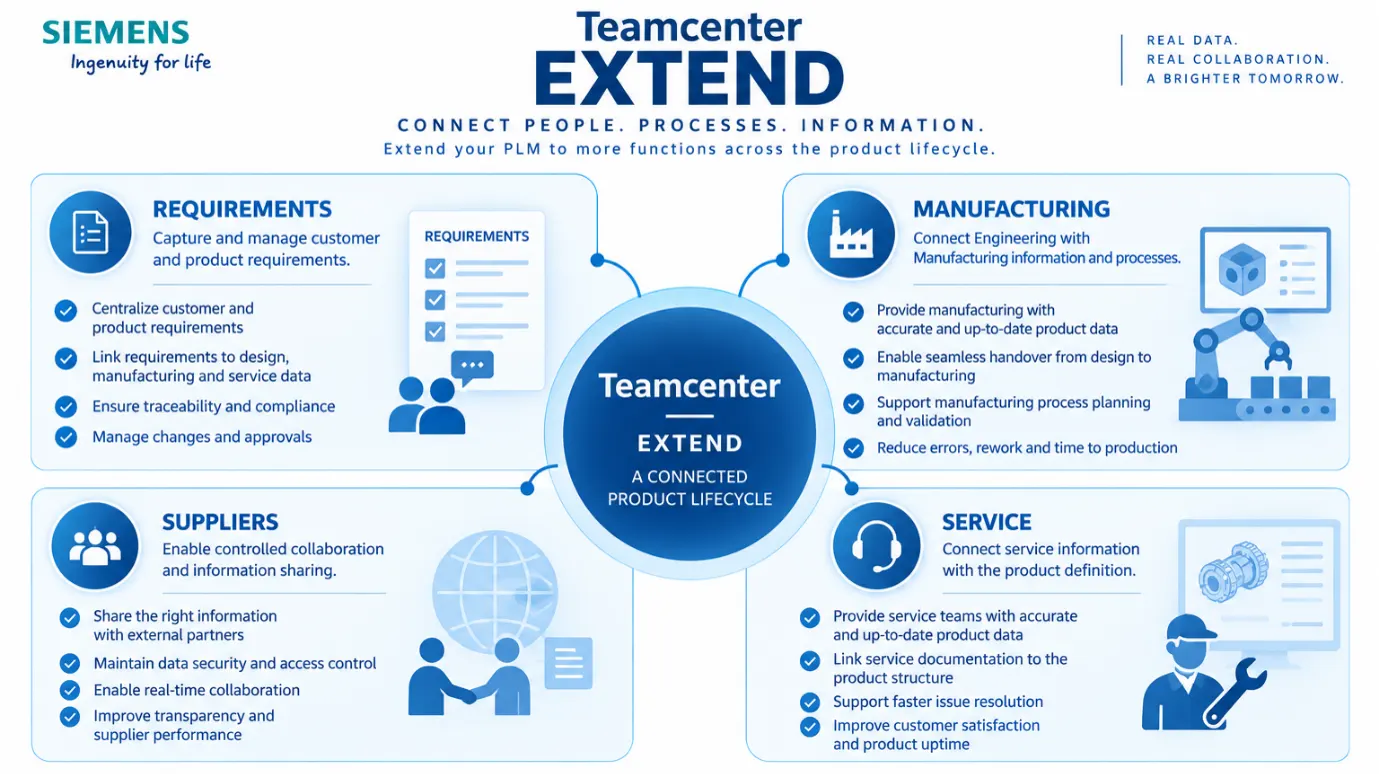
What Teamcenter PLM software does

Teamcenter extends the digital foundation across additional functions

  1. REQUIREMENTS: Capture and manage customer and product requirements.
  2. MANUFACTURING: Connect Engineering with Manufacturing information and processes.
  3. SUPPLIERS: Enable controlled collaboration and information sharing.
  4. SERVICE: Connect service information with the product definition.

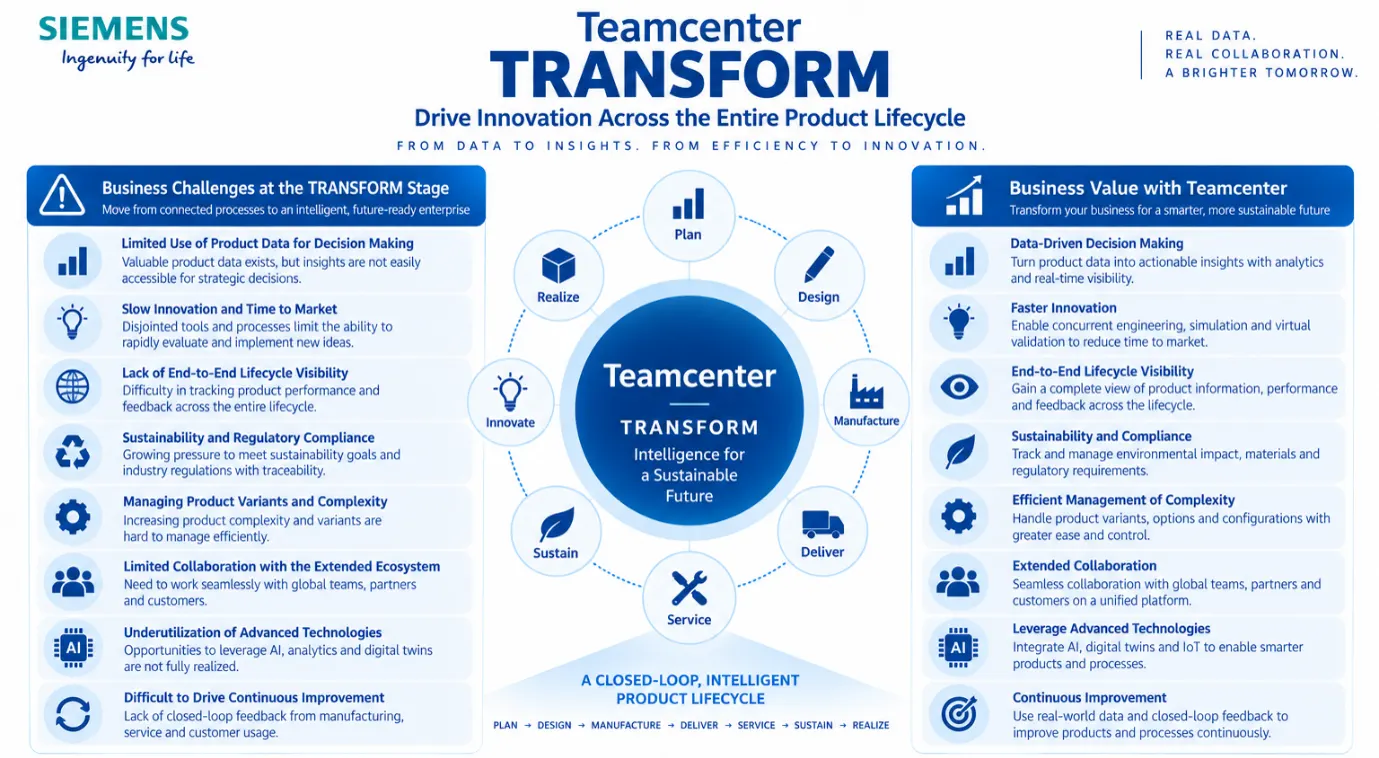
TRANSFORM — Moving from Connected Processes to an Intelligent, Future-Ready Enterprise

What Challenges Siemens Teamcenter solutions Solves

  1. Organizations generate large amounts of product and process data, but much of it remains difficult to access, connect and use for strategic decision-making.
  2. Disconnected systems, manual processes and poor collaboration slow down product development and innovation.
  3. Organizations often have visibility into individual departments but not across the complete lifecycle—from planning and design through manufacturing, delivery and service.
  4. Products are becoming increasingly complex, with more variants, configurations, components and engineering disciplines involved.
  5. Organizations face increasing pressure to manage sustainability requirements, regulatory compliance and product-related environmental information
  6. Modern product development involves suppliers, partners, customers and globally distributed teams.
  7. Organizations may invest in technologies such as AI, simulation, analytics and digital twins, but these initiatives remain disconnected without a strong product data foundation.
  8. Information and lessons learned from Engineering, Manufacturing, Quality and Service are often not systematically connected back into future product development.

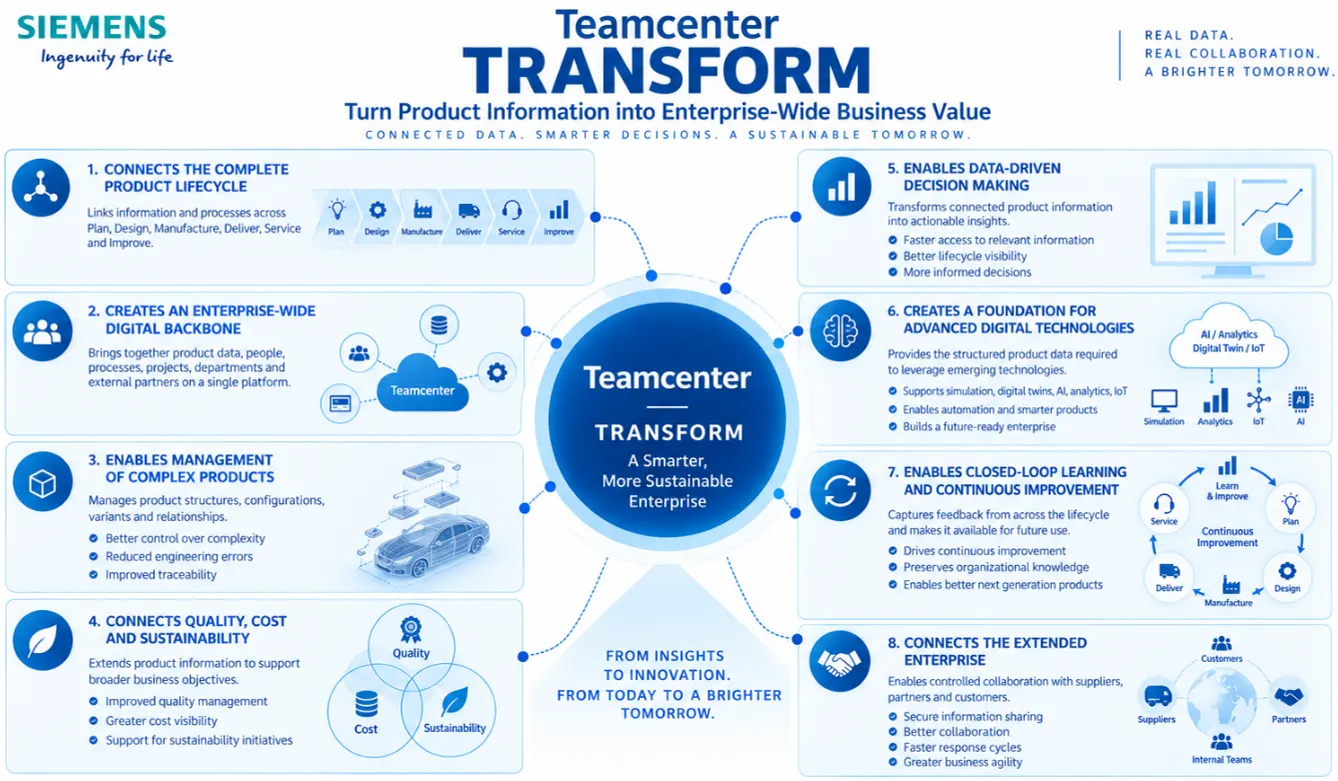
What Teamcenter PLM software does

  1. Connects information and processes across functions
  2. Creates an Enterprise-Wide Digital Backbone
  3. Enables Management of Complex Products
  4. Connects Quality, Cost and Sustainability
  5. Enables Data-Driven Decision Making
  6. Enables Closed-Loop Learning and Continuous Improvement
  7. Enables controlled collaboration across: Internal Teams ↔ Suppliers ↔ Partners ↔ Customers

Connect to PLM expert to know, what business value Teamcenter product lifecycle management software, from Siemens PLM software can bring to your organisation

Frequently Asked Questions

What is Teamcenter PLM?

Teamcenter PLM is a comprehensive product lifecycle management (PLM) software solution developed by Siemens PLM Software. It enables organizations to manage all aspects of the product lifecycle, from ideation to retirement, in a single, centralized system.

What are the key benefits of using Teamcenter PLM?

Some key benefits of Teamcenter PLM include improved collaboration among cross-functional teams, streamlined product development processes, enhanced data management and version control, reduced time-to-market, and better decision-making through access to real-time information.

Can Teamcenter PLM be customized to suit specific business needs?

Yes, Teamcenter PLM is highly customizable to accommodate the unique requirements of different industries and organizations. It offers extensive configuration options, workflow customization, and integration capabilities with other enterprise systems.

Is Teamcenter PLM suitable for small and medium-sized businesses (SMBs)?

Yes, Teamcenter PLM is scalable and can be tailored to meet the needs of SMBs as well as large enterprises. Siemens PLM Software offers different editions and deployment options, including cloud-based solutions, to suit organizations of varying sizes.

How does Teamcenter PLM handle data security and compliance?

Teamcenter PLM employs robust security measures to protect sensitive product data, including role-based access control, encryption, audit trails, and data loss prevention features. It also helps organizations comply with industry regulations and standards such as ISO 9001 and GDPR.

Can Teamcenter PLM integrate with other CAD/CAM/CAE software?

Yes, Teamcenter PLM offers seamless integration with a wide range of computer-aided design (CAD), computer-aided manufacturing (CAM), and computer-aided engineering (CAE) software applications, allowing for smooth data exchange and collaboration across the product development ecosystem.

How does Teamcenter PLM support global collaboration and distributed teams?

Teamcenter PLM provides robust collaboration tools, including document management, project dashboards, instant messaging, and online meetings, to facilitate communication and teamwork among geographically dispersed teams. It also offers multi-language support and timezone management features.

Does Teamcenter PLM offer advanced analytics and reporting capabilities?

Yes, Teamcenter PLM includes powerful analytics and reporting tools that enable users to gain valuable insights into product performance, project status, and resource utilization. It offers customizable dashboards, ad-hoc query capabilities, and pre-built reports to support data-driven decision-making.

How does Teamcenter PLM handle change management and revision control?

Teamcenter PLM automates change management processes, allowing users to initiate, track, and approve changes to product designs, documents, and processes. It provides comprehensive revision control features, including version history tracking, change impact analysis, and approval workflows.

What kind of support and training options are available for Teamcenter PLM users?

Siemens PLM Software offers a range of support services, including online documentation, knowledgebase articles, community forums, and technical support assistance. Additionally, they provide various training options, such as instructor-led courses, e-learning modules, and certification programs, to help users maximize their proficiency with Teamcenter PLM.