
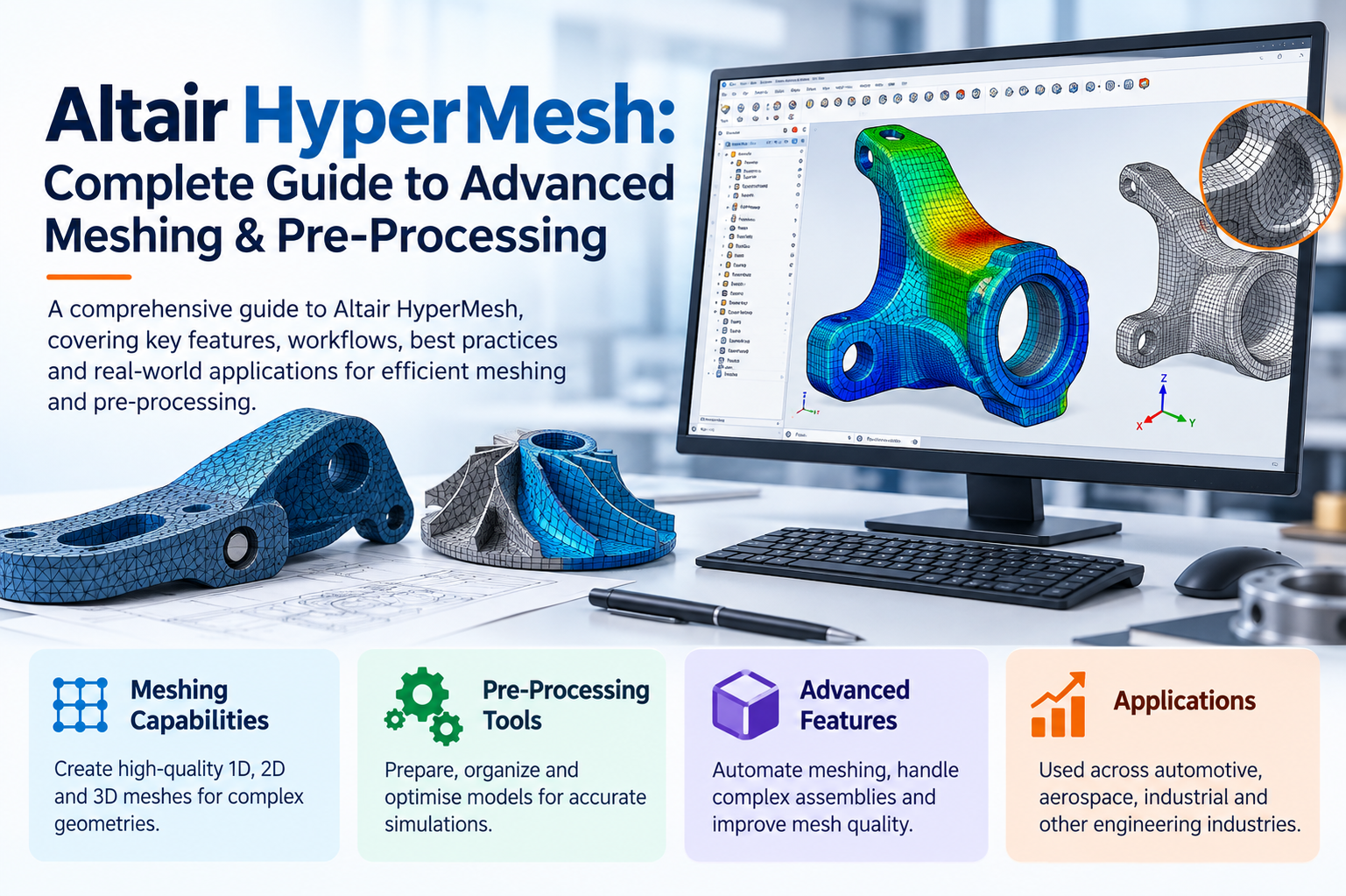
A good simulation starts long before the solver runs. It starts with the mesh. If the mesh is poor, even the best solver gives you results you can’t trust. Altair HyperMesh exists to fix that problem, and this guide shows you what it does, where it fits and how you can get more from it.
What Is Altair HyperMesh?
Altair HyperMesh software is a high-performance finite element pre-processor. You use it to import CAD geometry, clean it, build a mesh, set up materials, loads and boundary conditions, and export a model to the solver you prefer.
It’s part of the Altair HyperWorks suite and supports a wide range of solvers, including Altair OptiStruct, Abaqus, ANSYS, LS-DYNA, Nastran and RADIOSS. That means you can keep one pre-processing workflow even when your projects use different solvers.
In short, Altair HyperMesh pre-processing takes you from raw geometry to a solver-ready model, faster and with fewer errors.
Why Meshing Quality Matters
In HyperMesh finite element analysis, the mesh decides how well the model captures real behavior. A few bad elements can distort stress results or make a solver stop with errors.
Poor meshes typically cause:
- Inaccurate stress and strain results
- Slow or failed solver runs
- Extra rework late in the project
- Results you can’t confidently defend in a review
Good HyperMesh meshing software helps you avoid all four.
Key Altair HyperMesh Features
Here are the main Altair HyperMesh features you’ll use most:
- Geometry cleanup: Find and fix gaps, overlaps, sliver surfaces and small holes that slow down meshing.
- Automatic and manual meshing: Create 2D shell meshes, 3D tetrahedral and hexahedral meshes, and mix methods within one model.
- Batch meshing: Mesh large assemblies using rules for element size and quality, then apply the same rules to every part.
- Quality checks: Check aspect ratio, skewness, warpage, Jacobian, minimum angles and element size, with clear pass and fail criteria.
- Midsurface extraction: Convert thin-walled solids, such as sheet metal or plastic parts, into shell models.
- Connectors and welds: Define spot welds, seam welds, bolts and adhesives without building each one by hand.
- Model setup: Assign materials, properties, loads, contacts and load steps in one environment.
- Morphing: Change the shape of an existing mesh for design changes without meshing again from scratch.
- Scripting and automation: Use Tcl or Python to turn repeated tasks into one-click processes.
- Large model handling: Work with models that have millions of elements without lag.
A Typical Workflow
If you’re new to the tool, here’s how a project usually runs:
- Import geometry. Bring in CAD files such as CATIA, NX, STEP, IGES or Parasolid.
- Clean it up. Remove features that don’t affect the analysis, like tiny fillets or cosmetic details.
- Mesh. Choose element types and sizes based on what you need to capture.
- Check quality. Fix any elements that fail your criteria.
- Set up the model. Add materials, connections, loads and constraints.
- Export and solve. Send the model to your solver and review the results.
A quick example: on a car body-in-white, you might midsurface hundreds of sheet metal parts, batch mesh them at a fixed size, add thousands of spot welds with connectors, and export the model in a fraction of the time manual work would take.
Altair HyperMesh Applications
The range of Altair HyperMesh applications is broad. You’ll find it used for:
| Industry | Typical use |
| Automotive | Crash, NVH, durability and body structure models |
| Aerospace | Airframe, wing and fuselage stress models |
| Heavy equipment | Frames, booms and large welded structures |
| Electronics | Thermal and vibration analysis of housings and boards |
| Consumer products | Drop tests and structural checks on plastic parts |
| Energy | Pressure vessels, turbines and support structures |
Benefits You Can Expect
With HyperMesh FEA software in your workflow, you get practical gains:
- Faster model preparation: Automation cuts hours of repeat work.
- More reliable results: Better meshes give solvers cleaner input.
- Solver flexibility: You’re not locked into one solver format.
- Consistency across teams: Shared rules and templates keep models uniform.
- Scalability: From a small bracket to a full vehicle, the same tool handles it.
- Less rework: Catching issues early prevents late-stage surprises.
Practical Tips for Better Meshes
Experience matters here. A few habits make a real difference:
- Simplify geometry before meshing. Every tiny feature you keep adds elements you may not need.
- Refine the mesh where stress changes quickly, such as around holes, notches and fillets, and keep it coarser elsewhere.
- Aim for smooth transitions in element size instead of sudden jumps.
- Use quad-dominant shell meshes where possible, and keep triangles to a minimum.
- Run a mesh convergence check on critical parts to confirm your results aren’t mesh-dependent.
- Save your quality criteria as a template so your whole team follows the same standard.
Who Should Use It?
Altair HyperMesh is a strong fit if you:
- Build or review FEA models every week
- Work with large assemblies or complex CAD
- Use more than one solver
- Need repeatable, auditable model setup
If you only run occasional small studies, a simpler tool may be enough. For serious simulation work, HyperMesh usually pays back its learning time.
How We Can Help
At CJ Tech, we work with engineering teams that want to get more from their simulation tools. We can help you choose the right setup, train your engineers and build workflows that fit your products and solvers. If you’re considering Altair HyperMesh, talk to our team and we’ll help you plan it properly. You can also explore our Altair solutions to see related tools for design and simulation.
Frequently Asked Questions
What is Altair HyperMesh used for?
It’s used to prepare finite element models. That includes importing geometry, cleaning it, meshing it and setting up loads, materials and boundary conditions for solvers.
Which solvers does it support?
It supports many, including OptiStruct, Abaqus, ANSYS, LS-DYNA, Nastran and RADIOSS.
Is it only for large models?
No. It handles small parts and full vehicles alike, though its automation pays off most on complex assemblies.
Can I automate repeated tasks?
Yes. You can use Tcl or Python scripting and batch meshing to speed up recurring work.
Final Thoughts
A strong simulation begins with a strong mesh. Altair HyperMesh gives you the tools to build one quickly, check it properly and pass it to your solver with confidence. Start with one real project, apply the tips above, and you’ll see the difference in both speed and result quality. When you’re ready, we’re here to help.