If you have spent any real time on the shop floor, you already know the gap between a program that runs on paper and one that runs on the machine without a hiccup. That gap is where most scrap, most overtime, and most late deliveries come from.
Siemens NX CAM gives you the tools to close that gap, but the software alone will not save you. What saves you is a set of habits, the kind of habits that separate a programmer who fights the machine every shift from one who trusts their setup and goes home on time. We have pulled together 25 NX CAM best practices from real programming floors, based on patterns we see again and again while supporting manufacturers across India.
Why NX CAM Best Practices Matter for CNC Programming Teams
Good CNC programming is not about knowing every button in the interface. It is about building a repeatable process so your toolpaths, feeds, and post-processing decisions do not depend on who is sitting at the workstation that day.
Manufacturers who standardize their CAM software workflows report fewer floor-side edits and shorter first-article approval times. When your team follows the same NX CAM best practices from job to job, you are not reinventing the setup every time a new part lands on your desk.
Best Practices for Setting Up Your NX CAM Environment
Getting the groundwork right saves hours later. Here is where to start:
- Build a clean part model first. Fix geometry errors before you touch a toolpath. A bad surface stitch will cost you more time in CAM than it ever saved in design.
- Use Machine Coordinate Systems (MCS) consistently. Lock your origin to a repeatable datum on the fixture, not the raw stock.
- Set up tool libraries once, and reuse them. A shared tool database across your Computer-aided manufacturing environment stops programmers from guessing tool numbers or offsets.
- Define stock accurately. Whether it is a casting, a forging, or bar stock, an accurate blank keeps rapid moves safe and cycle times honest.
- Organize your operation navigator by process, not by memory. Roughing, semi-finishing, and finishing groups should be visible at a glance.
Toolpath Strategy: Where Most CNC Programming Time Gets Wasted
This is the heart of Siemens NX CAM, and it is where the biggest gains sit.
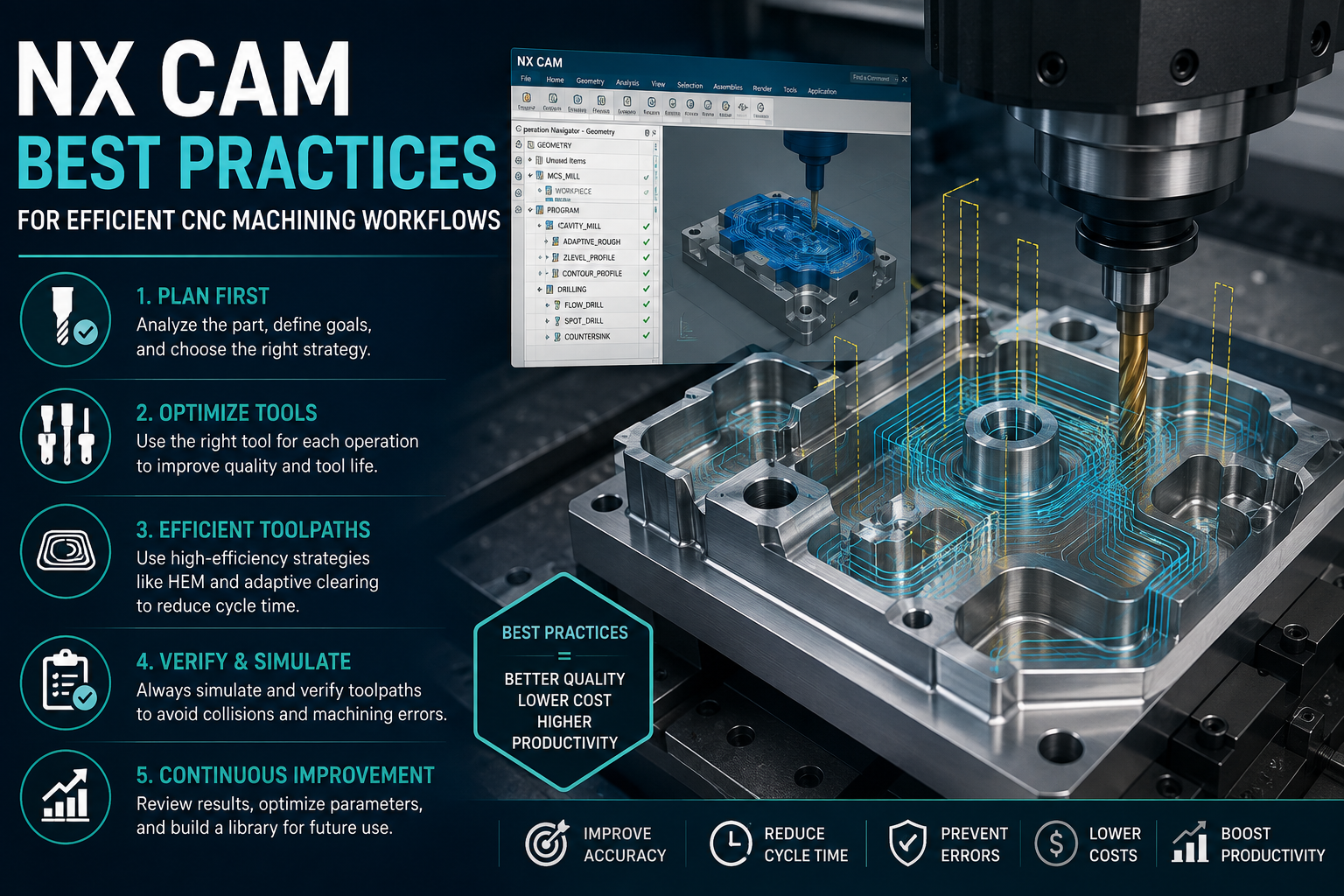
- Match the strategy to the geometry, not the other way around. Adaptive milling suits deep pockets; flowcut suits contoured surfaces.
- Control stepover and stepdown based on tool deflection, not just surface finish targets.
- Use rest milling instead of re-cutting cleared stock. It cuts air time and tool wear.
- Apply trochoidal or adaptive roughing on hard materials. Constant chip load protects both the tool and the spindle.
- Simulate every toolpath before posting. Gouge checks and collision detection inside NX catch problems a dry run on the machine cannot.
- Keep lead-in and lead-out moves smooth. Sharp direction changes leave marks and stress the tool.
- Review cutting conditions against the material chart, not last year’s program.
Fixturing, Setup, and Workholding Best Practices
- Model your fixtures inside NX, so collision checks account for clamps and vises, not just the part.
- Standardize workholding across families of parts where the geometry allows it. Fewer unique setups mean fewer setup sheets to maintain.
- Verify clearance for tool holders, not just the cutting tool. A short flute length looks fine until the holder hits a wall.
Post-Processing and Machine Communication
Post-processors are where a lot of CNC programming goes wrong quietly, because the code looks fine until the machine reacts badly to it.
- Customize your post-processor to your actual machine kinematics. A generic post will run, but it will not run well.
- Validate G-code against your control’s actual syntax, especially on older or hybrid machines.
- Keep a change log for post-processor edits. When something breaks six months later, you want to know what changed and why.
- Test canned cycles on the actual control before production, not just in simulation.
Documentation, Data Management, and Team Workflow
- Save setup sheets alongside the NX part file, not in a separate folder someone forgets to update.
- Use templates for repeat families of parts. A proven Siemens NX CAM template cuts programming time on similar jobs dramatically.
- Version-control your CAM files. Know which revision ran on the floor, always.
- Log actual cycle times against estimated cycle times. The gap tells you where your feeds and rapids need work.
- Train new programmers on your standards, not just on NX CAM software features. The software is easy to learn; your shop’s specific rules are what actually protect the part.
Quick Reference Table: Common Problems and the NX CAM Best Practice That Fixes Them
| Shop Floor Problem | Root Cause | NX CAM Best Practice |
| Frequent tool breakage | Inconsistent stepdown on hard material | Trochoidal/adaptive roughing with chip-load control |
| Program runs different on two machines | Generic post-processor | Machine-specific post-processor validation |
| First article keeps failing inspection | No simulation before posting | Full gouge and collision simulation in NX |
| New programmer takes days to set up a job | No shared templates | Standardized part-family templates |
| Setup sheet does not match the actual toolpath | Files stored outside the NX part | Centralized data management with version control |
Conclusion
None of these 25 practices are complicated on their own. What makes the difference is doing them the same way, every job, until they stop being a checklist and start being how your team naturally works. That consistency is what turns Siemens NX CAM from an expensive license into a real productivity tool on your shop floor.
If your team is still fighting inconsistent post-processors, endless floor-side edits, or a CAM software setup that depends on one person’s memory, we can help you fix that. CJ Tech has spent over 15 years helping manufacturers across India get more out of their Siemens NX CAM investment, from initial setup to team training. Get in touch with our CJ Tech team to talk through where your CNC programming process is losing time.
FAQs
What are the most important NX CAM best practices for a beginner CNC programmer?
Start with a clean part model, a locked Machine Coordinate System, and full simulation before posting any program. These three NX CAM best practices alone prevent most of the early mistakes new programmers make.
Why does my CNC program run fine in simulation but fail on the actual machine?
This usually points to a post-processor mismatch between your CAM software output and your machine’s actual control syntax. Validating G-code against the real control, not just the simulation, is the fix.
How does Computer-aided manufacturing reduce scrap on the shop floor?
Computer-aided manufacturing lets you catch gouges, collisions, and tool holder clearance issues before the spindle ever turns, instead of discovering them on an expensive piece of stock.
Can Siemens NX CAM handle both roughing and finishing for hard materials?
Yes. Siemens NX CAM includes adaptive and trochoidal roughing strategies built for consistent chip load on hard materials, along with flowcut and contour strategies for finishing.
How do I get my whole team following the same CNC programming standards?
Build shared tool libraries, part-family templates, and a documented post-processor change log inside NX, then train every programmer against those standards instead of letting each person build their own habits.