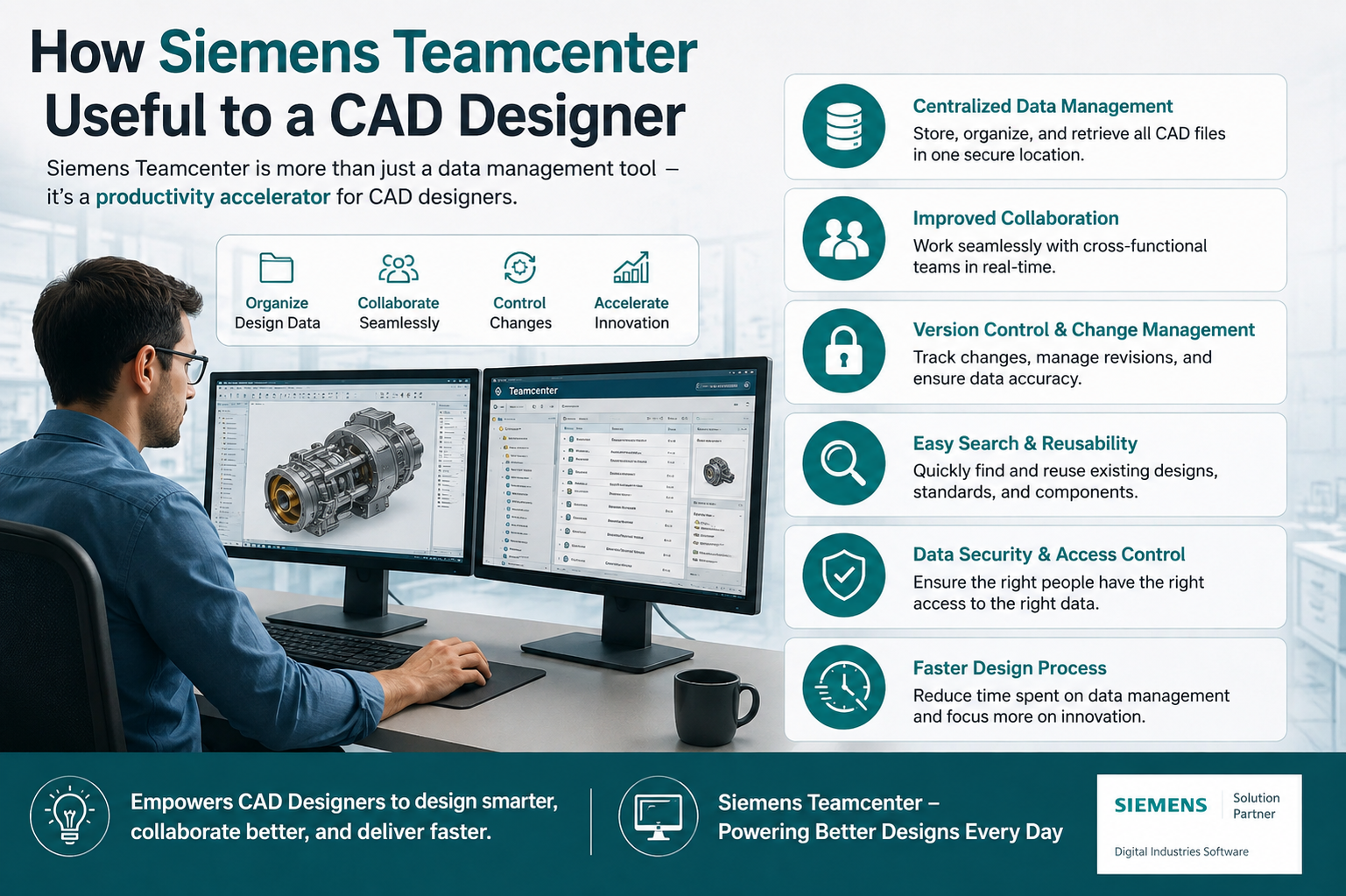
If you spend your day inside NX CAD, you already know the pain of hunting for the right file version, waiting on a colleague to release a design, or discovering someone edited a part without telling you. That’s exactly the gap Siemens Teamcenter fills. So, how is Siemens Teamcenter useful to a CAD designer in practice? It gives your CAD data a home, keeps everyone working off the same version, and connects design directly to manufacturing and everything downstream.
This isn’t just PLM software for managers who like dashboards. For a working designer, Teamcenter changes how your day actually runs.
What is Siemens Teamcenter, and Why Should a CAD Designer Care?
Siemens Teamcenter is a product lifecycle management (PLM) system. Strip away the acronym and it’s really a central library for every piece of engineering data your company creates: CAD models, drawings, specifications, revision history, approvals, all of it.
For a CAD designer working in NX CAD, Teamcenter isn’t a separate system you check occasionally. It sits right there in your workflow. Open NX, and Teamcenter is managing your files behind the scenes: checking parts in and out, tracking who changed what, and keeping your assemblies pointed at the correct version of every component.
Without it, most design teams fall back on shared drives, email attachments, and folder names like “final_v3_ACTUAL_final.” Anyone who’s worked that way knows how fast it falls apart.
How Siemens Teamcenter Helps a CAD Designer Day to Day
1. No More Version Confusion
This is the big one. When you’re working in NX CAD on a large assembly, dozens of parts might be changing at once across different engineers. Teamcenter tracks every revision automatically. You always know you’re looking at the latest approved version, not last week’s draft that someone forgot to update.
2. Faster Access to the Right Data
Search in Teamcenter goes well beyond file names. You can search by part number, material, project, or custom attributes your company sets up instead. Nobody has to dig through nested folders trying to remember what someone named a file two years ago.
3. Built-In Check-In and Check-Out
When you’re editing a part in NX CAD, Teamcenter locks it so a colleague can’t overwrite your work at the same time. Once you’re done, you check it back in, and the update flows through to every assembly that references it. No more accidental overwrites, no more “wait, who has the file open?”
4. Change Management Without the Chaos
Say you tweak one bracket in an assembly. On paper that sounds small, but it might quietly affect three other assemblies you weren’t even thinking about. Nobody wants to find that out during final review. Teamcenter watches these relationships in the background and flags anything that’s touched by a change, so you get a heads-up before it turns into a bigger problem.
5. Direct Link Between Design and Manufacturing
Teamcenter connects to tools across the whole product lifecycle, manufacturing and simulation systems included, so your CAD work in NX doesn’t sit isolated on its own. Once a design gets approved, downstream teams pull the correct version straight from Teamcenter instead of waiting on someone to send it over by hand.
6. Collaboration Across Teams and Locations
If your company has designers in more than one office, or works with outside suppliers, Siemens Teamcenter keeps everyone looking at the same data regardless of where they’re sitting. No more emailing CAD files back and forth and hoping the version numbers match up.
Key Benefits of Using Teamcenter with NX CAD
Put Teamcenter and NX CAD together and a design team notices a few concrete wins pretty quickly.
Everyone works from a single source of truth, so outdated files stop causing rework, and approvals move faster because built-in workflows route designs for review and sign-off automatically instead of chasing people down over email. Every change also gets logged, so if a question comes up months later about why a part changed, the history is right there instead of relying on someone’s memory.
Manufacturing, quality, and supply chain teams pull data straight from the same system design used, which cuts out a lot of the back-and-forth that usually happens during handoffs. And whether you’re managing 50 parts or 50,000, Teamcenter is built to handle the load without falling apart on you.
Common Challenges Teamcenter Solves for CAD Designers
| Challenge | How Teamcenter Solves It |
| Two people editing the same part at once | Locks the file during check-out so nobody overwrites your work |
| Losing track of which version is current | Updates the approved version automatically, no manual tagging needed |
| Manual handoffs to manufacturing | Downstream teams pull approved CAD data directly, skipping the email back-and-forth |
| Files scattered across drives and inboxes | One searchable vault instead of a dozen folders named “final” |
| No clear record of what changed and when | Every edit is logged, so you can trace the history months later |
Is Teamcenter Worth It for Smaller Design Teams?
People tend to assume PLM systems like Siemens Teamcenter only make sense for massive enterprises juggling thousands of parts. That’s not really true anymore. Teamcenter scales down just as well as it scales up, and smaller teams often notice the benefit faster, since even a handful of designers working without proper version control can burn real time on confusion and rework.
If your team already relies on NX CAD for design work, adding Teamcenter on top isn’t a massive overhaul. It’s more of a natural next step.
Final Thoughts
For a CAD designer, the daily frustrations of missing files, version mix-ups, and unclear change history aren’t small annoyances. They cost real time. Siemens Teamcenter fixes that by giving your NX CAD work a proper home, one where every file is tracked, every change is logged, and every team downstream pulls from the same accurate source.
At Cj Tech, we help engineering teams set up and get real value out of Siemens Teamcenter, tailored to how your designers actually work in NX CAD. If your team is still fighting version chaos and scattered files, reach out and we’ll walk you through what a proper PLM setup could look like for your shop.
FAQs
How is Siemens Teamcenter useful to a CAD designer specifically?
Mostly by getting rid of the busywork around files. You spend less time hunting for the right version or wondering who has something checked out, and more time actually designing.
Does Teamcenter work directly with NX CAD?
It does, and tightly. Teamcenter manages files right inside the NX design environment instead of requiring you to jump into a separate system to check something.
What’s the difference between Siemens Teamcenter and regular file storage?
Regular storage just holds your files and waits. Teamcenter is active about it, it keeps version history, knows who’s editing what right now, links related parts together, and passes design data on to manufacturing and other teams downstream.
Can small design teams benefit from Teamcenter, or is it only for large enterprises?
Small teams benefit too, often faster than you’d expect. Even a handful of designers working without version control can lose real time to mix-ups, and Teamcenter scales down just as easily as it scales up.
Does Teamcenter help with collaboration across different office locations?
It does. All design data lives in one central system, so designers, engineers, and suppliers in different locations end up working from the same accurate version, no matter where they’re sitting.