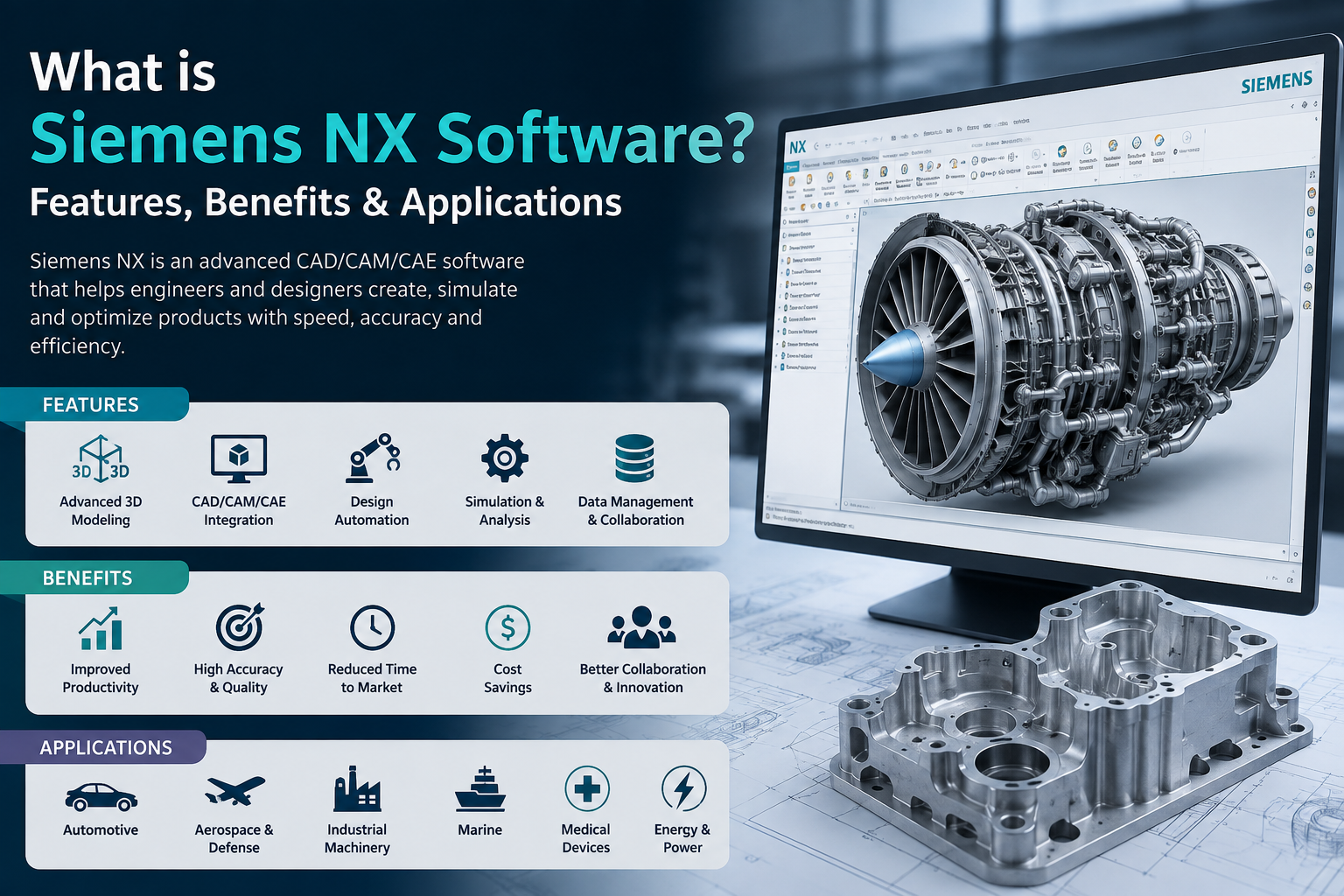
If you design products, build machines, or manufacture parts for a living, you’ve probably heard engineers throw around the name “NX” in meetings. So, what is Siemens NX software, really? In simple terms, it’s an integrated CAD, CAM, and CAE platform. You design a part, simulate how it behaves, and program it for manufacturing, all inside one system.
That “one system” part matters more than it sounds. Most companies juggle separate tools for design, analysis, and machining. Files get exported, converted, and re-checked at every handoff, and that’s where mistakes creep in. Siemens NX removes those gaps by keeping your entire product development process under one roof.
This guide covers what Siemens NX actually does, why manufacturers rely on it, and where NX CAM fits into the bigger picture.
What is Siemens NX Software Used For?
Think of the people who design and manufacture physical products for a living: automotive parts, aerospace components, industrial machinery, consumer electronics. Siemens NX is built for them. It covers three major areas:
- Design (CAD). You create 3D models, assemblies, and detailed drawings.
- Simulation (CAE). You test how a part will perform under stress, heat, or motion before you ever cut metal.
- Manufacturing (CAM). You program CNC machines to produce the part accurately.
All three live in the same platform. So when you change something during design, it flows through to simulation and manufacturing on its own. Nobody has to rebuild a model from scratch just because someone tweaked a dimension.
Key Features of Siemens NX
A handful of features are why engineers keep coming back to NX.
Parametric and direct modeling. You can build models with fully editable parameters, or skip the feature history and make quick edits on the fly. If you’ve ever inherited a messy file from another team, you know why that second option matters. You can still get in there and change things fast without breaking the model.
Simulation before you commit to production. Structural, thermal, motion testing, it all runs right inside NX. Catching a design flaw here costs you an afternoon. Catching it after tooling has already been ordered costs a lot more than that.
NX CAM for manufacturing. This is the part where a design stops being a drawing and becomes a real, physical thing. NX CAM generates toolpaths for CNC machining, from basic milling up to complex 5-axis work, and it pulls straight from the CAD model. No re-importing geometry, no translation errors between systems.
A few reasons manufacturers lean on NX CAM specifically:
- Automated toolpath generation cuts down programming time
- It works across a wide range of machine types and controllers
- Full machining simulation catches collisions before they happen on the actual shop floor
- Design and manufacturing data stay linked, so a CAD update shows up in the CAM program instantly
Assembly modeling that doesn’t choke. Assemblies with thousands of parts tend to slow most software to a crawl. NX gets around this with smart load options, so engineers can keep working on massive assemblies instead of staring at a loading bar.
Generative design. Set your loads and constraints, and NX will suggest optimized part geometry on its own. It’s a favorite in aerospace and automotive work, where shaving off a few grams actually matters.
Benefits of Using Siemens NX Software
Here’s what teams notice once NX is actually running their workflow, not just sitting on the shelf.
Design, simulation, and manufacturing all pull from the same model, which cuts down on the miscommunication and version mismatches that happen when three teams work off three different files. Toolpaths, templates, and workflows are already built to talk to each other, so less time goes into manual rework and products get to market faster. And because simulation catches problems before production starts, you’re not paying for scrap and rework later.
NX also scales. A small shop and a large enterprise can both run it, just at different levels of complexity. And since so many aerospace, automotive, medical device, and industrial companies already use it, finding people who already know the software (or outside support when you need it) is a lot easier than with a niche tool.
Applications of Siemens NX Across Industries
Siemens NX isn’t built for one niche. It’s used wherever precision engineering and manufacturing meet:
| Industry | How NX is Used |
| Automotive | Body design, tooling, powertrain components |
| Aerospace | Lightweight structural parts, complex assemblies |
| Industrial Machinery | Custom equipment design and CNC programming |
| Medical Devices | Precision components with tight tolerances |
| Electronics | Enclosure design and mechanical-electrical integration |
Each of these industries leans on Siemens NX for a different reason, but the common thread is always the same: they need design and manufacturing to work off the same accurate data.
Why Businesses Choose Siemens NX Over Other CAD/CAM Tools
A lot of CAD software can design a part. Fewer platforms can design it, test it, and manufacture it without switching tools. Siemens NX isn’t just a CAD package with CAM bolted on afterward. The CAM module was built to work natively with NX’s CAD engine, so toolpath programming stays fast and accurate even as designs change late in the process.
For companies running high-mix, high-complexity production, think aerospace brackets or automotive tooling, that native integration between CAD and NX CAM often becomes the deciding factor.
Final Thoughts
By now, the question “what is Siemens NX software” should have a pretty clear answer: it’s a complete design-to-manufacturing platform that keeps your CAD, simulation, and CAM work connected under one system. From faster toolpath programming with NX CAM to catching design flaws before they become costly mistakes, Siemens NX gives engineering and manufacturing teams a real edge.
Still running design and manufacturing through separate tools? That’s usually the first thing worth fixing. Cj Tech helps businesses set up, customize, and actually get value out of Siemens NX, so your engineers and your machinists stop working off different files. If you want to talk through what that would look like for your shop, get in touch and we’ll walk you through it.
FAQs
What is Siemens NX software used for?
3D design, engineering simulation, and CNC manufacturing, mostly. A team can design a part, run it through real-world testing, and program it for production without leaving the platform.
What is NX CAM, and how is it different from other CAM software?
It’s the manufacturing side of Siemens NX. The main difference from a standalone CAM tool is that it reads straight off the NX CAD model. Nothing gets lost or re-imported every time someone changes the design.
Is Siemens NX suitable for small manufacturing businesses?
It can be. Large aerospace and automotive companies use it heavily, but the modular structure means a smaller shop can pick up just what it needs, whether that’s CAD, CAM, or both, without paying for the rest.
Does Siemens NX support 5-axis machining?
Yes, and it handles it well. NX CAM covers multi-axis machining, complex 5-axis toolpaths included, for parts a basic 3-axis machine just can’t cut.
How difficult is it to learn Siemens NX?
There’s a real learning curve, especially if you’re new to parametric modeling. Most engineering teams get comfortable within a few weeks to a couple of months, faster with proper training.