
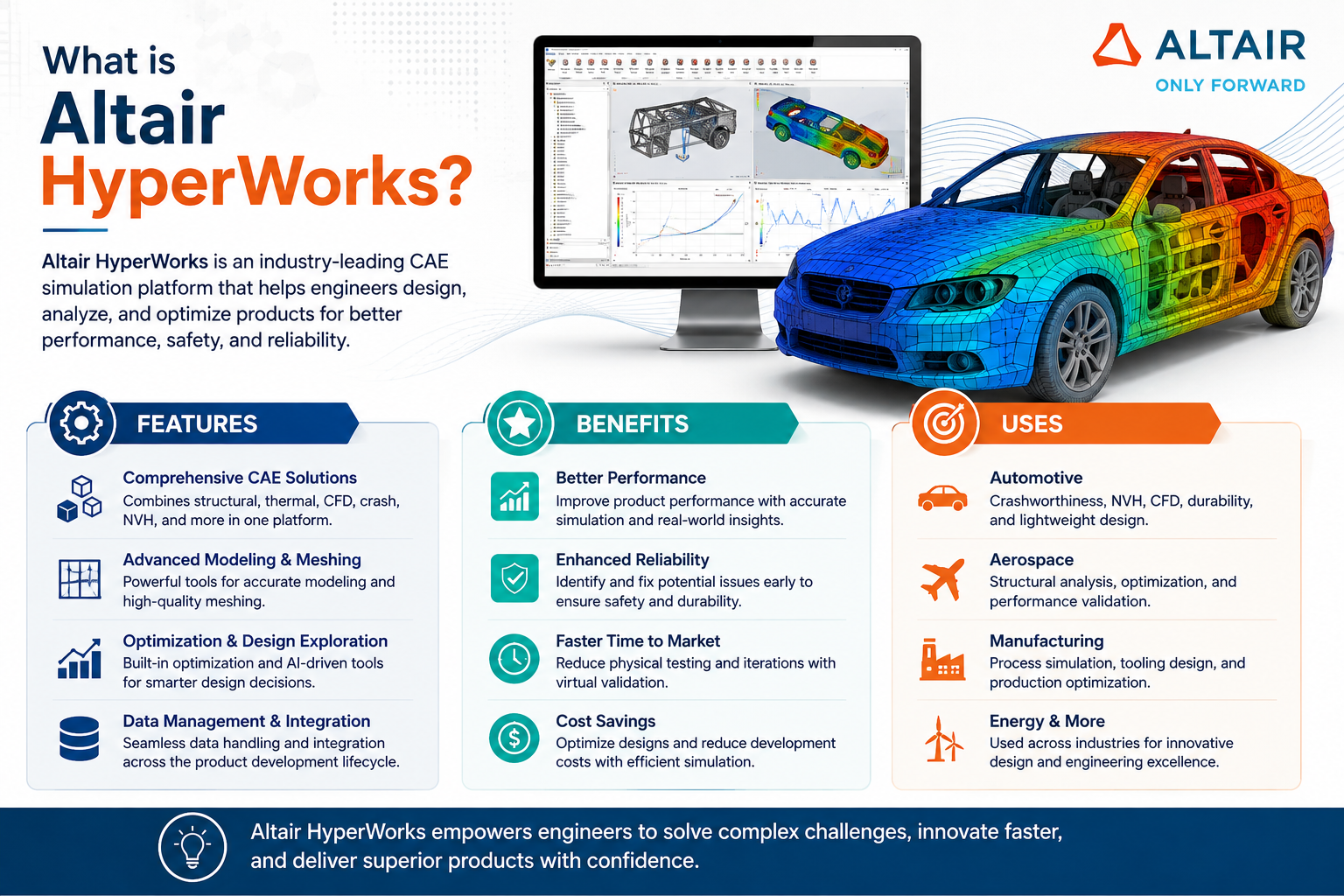
If you design or test physical products for a living, you’ve probably heard the name come up in conversation. So what is Altair HyperWorks, exactly, and why do so many engineering teams build their simulation process around it?
In short, it’s a full simulation and optimisation platform that lets you test how a product will perform, structurally, thermally, and mechanically, long before you cut any metal. That means fewer physical prototypes, fewer late-stage surprises, and a much faster path from concept to a product that actually works the way it should.
What is Altair HyperWorks? A Quick Overview
HyperWorks is an open-architecture CAE suite built by Altair, covering everything from finite element modelling to structural optimisation, fluid dynamics, and multibody simulation. Instead of forcing you into one rigid workflow, it connects a set of specialised tools that work together, so your design, simulation, and post-processing teams stay on the same data.
The platform includes names you may already recognise: HyperMesh for meshing, OptiStruct for structural analysis and optimisation, RADIOSS for crash and impact simulation, and MotionSolve for multibody dynamics, among others. Each tool handles a specific job, but they’re built to share data cleanly, so you’re not exporting and re-importing files every time you move from one stage of testing to the next.
What is Altair HyperWorks Used For in Product Development?
Here’s where it actually earns its place in your workflow:
- Structural analysis to check how a part or assembly holds up under real loads
- Topology and shape optimisation to strip out unnecessary material while keeping strength
- Crash and safety simulation for industries where impact performance is non-negotiable
- Fluid and thermal analysis to model airflow, cooling, and heat behaviour
- Multibody dynamics to test how moving assemblies interact before they’re built
Rather than running these checks in isolation, engineering teams use the platform to validate designs early, when changes are cheap, instead of after tooling is already locked in.
Key Benefits for Your Engineering Team
| Benefit | What it means for you |
| Fewer physical prototypes | Cuts material and testing costs significantly |
| Faster design iterations | Test changes virtually in hours, not weeks |
| Lighter, stronger parts | Optimisation tools remove excess material without sacrificing performance |
| Better cross-team collaboration | Design, simulation, and manufacturing teams work off shared data |
| Scalable licensing | Pay for the compute and tools your project actually needs |
None of this replaces good engineering judgement. What it does is give your team the data to make better calls faster, and to catch expensive mistakes while they’re still cheap to fix.
Where Teams Actually Use It
Automotive manufacturers use the suite for crashworthiness studies, lightweighting, and NVH (noise, vibration, harshness) analysis, often under tight regulatory deadlines. Aerospace teams lean on it for structural certification work, where every gram removed from a component has to be backed by solid simulation data.
Industrial equipment makers use it to validate load-bearing structures before committing to expensive tooling, and consumer electronics companies use it for thermal management, making sure a device doesn’t overheat the moment real users start pushing it hard. Rail and heavy machinery manufacturers rely on the same tools for durability and fatigue testing across components that need to survive years of continuous use.
Across all these industries, the common thread is the same: catching a design flaw on screen costs a fraction of catching it on the factory floor, or worse, after a product has already shipped.
How It Fits Into a Digital Engineering Workflow
Modern product development doesn’t happen in a straight line anymore. Design, simulation, and manufacturing teams need to work off the same data at the same time, not pass files back and forth in disconnected silos. HyperWorks was built with that reality in mind.
Because it’s open architecture, it doesn’t force you to abandon tools you already rely on. It plugs into your existing CAD environment, supports common file formats, and lets you bring in solvers from other vendors when a project calls for it. That flexibility matters if your engineering stack has grown organically over the years, which is the case for most manufacturers.
The platform also scales with computing resources. Smaller studies can run on a standard workstation, while larger, more demanding simulations can be pushed to high-performance computing clusters or the cloud, so your infrastructure grows only when your projects actually need it to.
Getting Started the Right Way
Buying the software is the easy part. Getting real value from it depends on proper setup, the right module selection for your industry, and a team that actually knows how to use it well. That’s usually where implementations either take off or stall.
We at CJ Tech have spent over 15 years working with manufacturers across India on Siemens and Altair’s simulation and design tools, and we know exactly what a smooth HyperWorks rollout looks like, from licensing and training through to getting your first real project running on the platform. By now you should have a clear answer to what is Altair HyperWorks and why it’s worth serious consideration for your engineering workflow. If your team is weighing whether simulation-driven design fits your process, we’re happy to walk you through it.
Frequently Asked Questions
Is HyperWorks suitable for small and mid-sized companies, or just large enterprises?
It scales well either way. Smaller teams can start with a focused set of tools and expand as their simulation needs grow, without paying for capability they don’t use yet.
Does it integrate with the CAD software we already use?
Yes. The platform is built to work alongside major CAD systems, so your existing design files don’t need a complete rework to bring into the simulation environment.
How steep is the learning curve for a new engineering team?
There’s a real learning curve, as with any serious simulation tool, but most teams get comfortable with core workflows within a few weeks of hands-on training and start seeing productivity gains from there.
What kind of hardware does it need to run effectively?
Requirements depend on model complexity and simulation type, but most modern workstations handle standard workloads fine. Larger, more complex simulations benefit from additional compute, which can often be scaled as a project demands it.